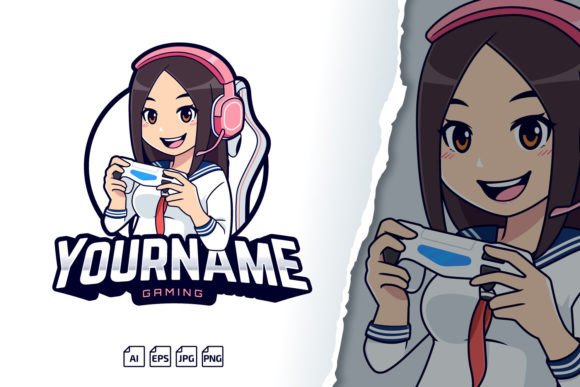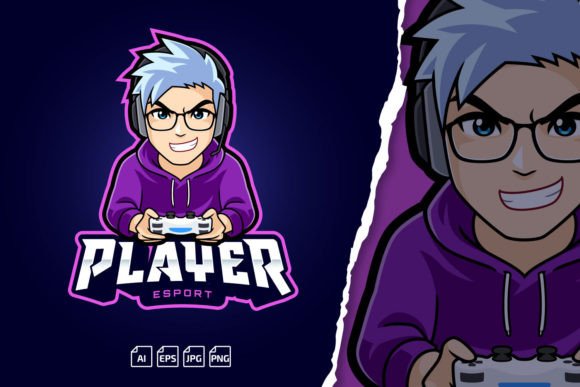
Making a Gamer Boy Esport Mascot Logo Part of Your Creative and Branding Toolkit
A recognizable mascot is often the anchor that ties together an entire visual identity, whether you run a solo Twitch stream, manage a competitive gaming team, or create content across multiple platforms. The Gamer Boy Esport Mascot Logo is designed as a ready-to-use character asset that you can quickly adapt to fit those needs without starting from scratch. Rather than spending hours in vector software trying to invent a persona, you get a fully formed base—complete with editable text layers and a commercial font license—that slots directly into a practical workflow.
Understanding the Asset Package
Before updating your streaming overlay or ordering team jerseys, it helps to know exactly what arrives in the download. The package includes multiple file formats, each chosen to serve a specific purpose in your process. You receive an AI Adobe Illustrator CC file, which is the primary working document, plus an EPS Adobe Illustrator 10 version for compatibility with older software or programs that handle encapsulated PostScript. A PNG transparent preview gives you a quick, web-ready image to drop into thumbnails or social posts without opening a design tool. The JPG preview is handy for sharing rough mockups. A ReadMe.txt file provides installation instructions and, critically, the font link so you can keep all text elements editable.
The logo itself comes as a 100% scalable vector, built in layered files. This means every element—the mascot’s expression, the name, colors, and any accent shapes—can be turned on, off, or modified independently. It’s not a flat, locked graphic. The entire text component is easy editable text, not outlined shapes, so you can change the team name, player handle, or tagline without redrawing letters. And because the fonts used are free for commercial use, you can legally print merchandise, run YouTube ads, or produce client work without font-licensing worries.
Preparing for Integration: Installation and Initial Setup
Start by opening the ReadMe file. It outlines font installation and any layer-naming conventions. The font link described there connects you to the typeface source; install it before opening the AI file to avoid missing-font prompts. In Adobe Illustrator CC, you can immediately see the layered structure. If you’re working with older software, open the EPS 10 version—it retains vector data but may flatten some live text, so rebuild those text layers manually if needed. For users who rely on Affinity Designer, Inkscape, or CorelDRAW, the EPS often imports cleanly, giving you access to the same scalable assets.
Keep the original download as a master backup. Duplicate the AI file before making changes. This takes seconds but saves you from irreversible edits. The transparent PNG preview is your quick reference; you can drag it into a folder of assets or use it to communicate ideas to collaborators before committing to detailed design work.
Customizing the Mascot for Different Branding Assets
The real value of the Gamer Boy Esport Mascot Logo emerges when you tailor it for specific deliverables. The same base graphic can become an emote, a banner, a profile icon, or a print-ready shirt design—all while maintaining visual consistency.
Twitch and Kick Emotes
Emotes need to read clearly at very small sizes, often 28×28 or 56×56 pixels. Open the AI file, copy the mascot head or an expressive element into a new artboard set to 112×112 pixels. Because it’s vector, scaling down will never cause pixelation; you can adjust line thickness and simplify details for better legibility. Use the editable text to add a subscriber tier badge or a short phrase. Export as PNG with transparency, and you have an emote that matches the larger logo used elsewhere on your channel.
Streaming Overlays and Banners
Twitch panels, YouTube channel art, and Kick banners all demand different dimensions. The layered vector format lets you rearrange elements without quality loss. For a wide banner, you might place the mascot on the left and extend the name across a horizontal layout. Since the text is live, you can adjust tracking or type size to balance the composition. The unlimited scalability means you can export a 2560×1440 overlay graphic and a 800×800 profile picture from the same source file—no upscaling artifacts.
Team Logos and Merchandise
Ordering hoodies, mousepads, or stickers usually requires vector files with outlined fonts. Since you can edit the name and commercial fonts are included, you simply outline the text when the design is final. Print shops accept AI or EPS files directly. The mascot remains crisp whether printed on a 3-inch patch or a 6-foot banner. This eliminates the guesswork of resolution and DPI adjustments that often derail physical production.
Integrating Into Daily and Weekly Workflows
Once you have a customized version of the mascot, it becomes a reusable building block in your content calendar. Streamers, for instance, can rotate seasonal variations: a Halloween color palette, a New Year’s hat added on a new layer, a special tournament text overlay. Because the layered file structure is nondestructive, you can toggle seasonal elements on and off without recreating the core artwork.
For a gaming team manager, the mascot serves as a unified mark across social media posts, recruitment graphics, and event brackets. Set up a template file with pre-sized artboards for Instagram stories, Twitter headers, and Discord server icons. Each time an announcement goes out, you open one master document, update the text if needed, and export. This practice reduces repetitive design decisions and ensures every public-facing asset feels connected.
Even outside scheduled content, having an easy editable text and unlimited scaling graphic on hand speeds up reaction posts. Spot a trending meme or a major tournament result? Swap the text, export a PNG, and publish within minutes—no need to negotiate licensing or create new art from scratch.
Quality Control and Scalability Considerations
Maintaining visual quality across platforms usually demands different file types and resolution checks. The vector foundation of this asset largely removes that friction. For digital use, export at the exact pixel dimensions your platform requires; for print, output at 300 DPI with the artboard sized to the final product. The layered files let you isolate elements for testing: export just the mascot silhouette as a single-color watertank version for limited-color merch, or export the full-color version for screen printing.
Always verify font rendering when moving between computers. If a teammate opens your AI file without installing the font, the text may revert or show as default. The included ReadMe link to the font page solves this quickly. Another practical step: outline a copy of the text layer before sharing externally to avoid font-missing errors, while keeping your working file editable. This creates a print-ready version alongside your master, preserving flexibility for future edits.
Collaboration and Team Use
In larger creative teams, a single asset often travels through multiple hands: one person sets the initial color scheme, another adapts it for motion graphics, a social media manager crops it for posts. The package’s EPS compatibility is helpful here, as EPS files open in virtually every professional design tool. When handing off, include the ReadMe and a note about font installation. Mention that the free for commercial fonts means the entire team can use the files without purchasing separate licenses.
Organizing shared cloud folders with clearly labeled versions—such as “GamerBoy_TeamA_Name.v1.ai” and “GamerBoy_Emote_Twitch.png”—keeps everyone from overwriting work. You might also create a “_Exports” folder with pre-rendered PNGs and a small reference JPG so non-designers can quickly grab the right image without opening design software.
Long-Term Maintenance and Updates
As your brand evolves, you’ll want the mascot to evolve with it. The layered vector format supports incremental revisions. Maybe next season you need a more aggressive expression or a secondary character variant. You can duplicate the original file, modify layers, and produce a new version while the old one remains intact for archival use. The font link remains available, so if you lose the typeface after a system reset, you can re-download it.
Keep your master AI file and the ReadMe together in an easy-to-find location. Note the version of Illustrator you used; if you upgrade software years later, the layered structure should still open, but having a backup EPS 10 ensures broad compatibility across future tools. The PNG preview also doubles as a visual index: even without opening the vector file, a quick glance tells you exactly which variant contains which text and color scheme.
Troubleshooting and Resources
While the package is built for straightforward editing, common sticking points include font activation and layer visibility. If you open the AI file and see black rectangles instead of the expected text, the font isn’t installed. Follow the ReadMe link, download and install the font, then reopen the file. If you’re unfamiliar with Illustrator, the TUTORIAL video mentioned in the product description can guide you through basic text changes, scaling, and exporting.
When importing the EPS into non-Adobe applications, some layer properties may shift. In these cases, start with the AI file if your software supports it—many modern vector apps open AI CC files. If not, convert the EPS to SVG through Illustrator first to get cleaner raw geometry. And if you hit a wall, the original creator offers support: you can reach out directly for troubleshooting, so you’re never stuck with a file you can’t use.
Ultimately, the Gamer Boy Esport Mascot Logo fits into a broader habit of maintaining a ready-to-use, brand-consistent toolkit. By cleaning up layers, saving versioned files, and prepping exports for each platform, you turn a single mascot into a flexible identity system. Whether you’re updating a Kick emote, printing team jerseys, or designing a giveaway banner, the process becomes less about initial creation and more about confident, repeatable adaptation.