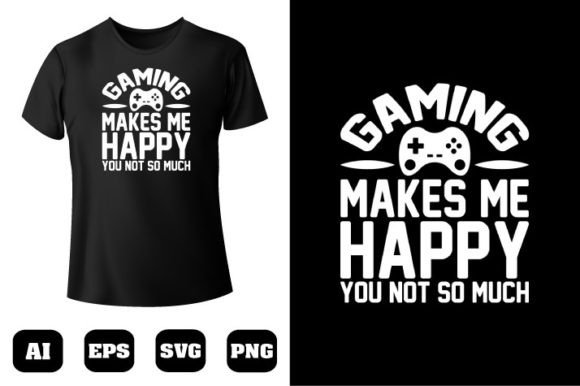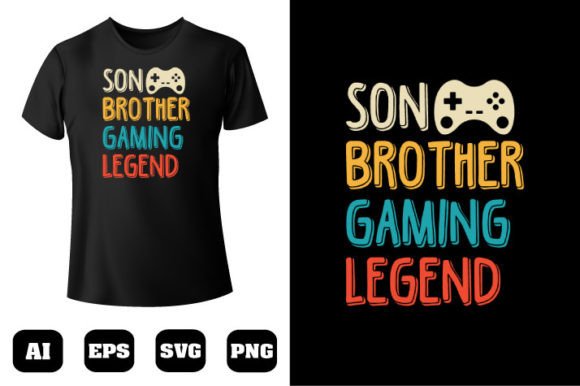
Gaming T-shirt Design 123: Ready-to-Print Vector Art
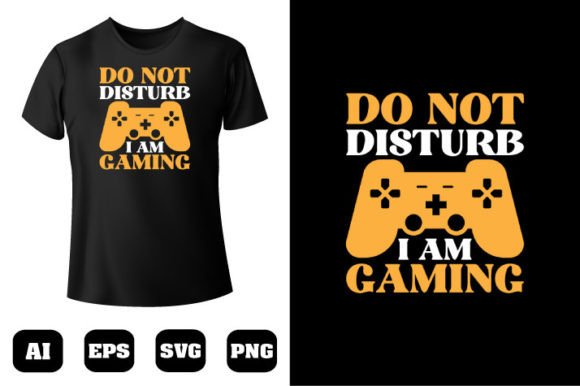
Creating merchandise that genuinely connects with an audience often starts with a single strong visual. For anyone who wants to skip the sketch phase and move straight into production, Gaming T-shirt Design 123 offers a practical shortcut. It is a fully built, editable vector illustration pack centered on gaming culture. Rather than a flat raster image, you get a set of crisp shapes and organized layers that are easy to adapt, recolor, and scale without ever worrying about jagged edges. The file arrives already prepared at 300 dpi, so all you need to do is open it, make your tweaks if you like, and send it to print.
What makes this particular asset useful across so many different workflows is the way it blends immediate use with deep customizability. The design is not locked into a single color scheme or layout. You can pull apart the elements, change dozens of colors at once, and rearrange the composition to fit a hoodie pocket, a twitch banner, a poster, or a phone case. This kind of flexibility is what turns a single graphic into a product line.
What’s Actually Inside the File
When you download Gaming T-shirt Design 123, you are not just grabbing a picture. You are getting a structured workspace that was built in Adobe Illustrator CC and exported to multiple companion formats. The core of the pack is a 100% vector composition. Every stroke, every shape, and every highlight exists as a mathematically defined object, which means you can resize the artwork from a chest print to a wall mural without any loss of clarity.
One of the standout traits is the color system. The design includes more than 100 individually editable color zones. These are not simply flattened gradients; they are separate vector shapes you can click and recolor in seconds. If your brand palette is orange and charcoal, you can shift the entire look away from neon blues without touching a single pixel mask. The crispness holds at 300 dpi because the artwork was built from the start with print dimensions in mind, not low-resolution screen previews.
- 100% vector shapes – fully resizable without degradation
- 300 dpi output ready – no upscaling or sharpening needed
- Over 100 editable color spots – change the mood and palette fast
- Natively built in Adobe Illustrator CC – opens with all layers and swatches intact
- Four file formats – AI, EPS, PNG, and SVG
Having multiple formats means you are not tied to one piece of software. The editable AI and EPS versions preserve every layer and effect for advanced users. The SVG file works beautifully with web projects, cutting machines, or open-source editors like Inkscape. And the high-resolution PNG gives you a ready-to-upload flat image that you can drop into Canva, mobile apps, or directly into a print-on-demand mockup generator. This mix of flexibility and immediate usability is what makes the resource feel more like a toolkit than a single download.
Who Benefits From a Design Like This
It is easy to think this asset is only for t-shirt sellers, but the real-world applications go much wider. The same artwork can serve multiple purposes across personal projects, professional branding, and creative education. Let’s walk through a few realistic personas to show how Gaming T-shirt Design 123 fits into different routines.
Print-on-Demand Entrepreneurs
If you manage a store on platforms like Etsy, Redbubble, or Shopify, you know that standing out means more than throwing a generic graphic on a tee. With this design, you can create distinct listings by recoloring the art for seasonal drops; think cool blues for summer, fiery oranges for autumn. Because the artwork remains sharp at any size, you can also offer it on wall art, tote bags, or notebooks without ordering new samples each time. One download can easily become ten different product variants.
Content Creators and Streamers
A streamer’s brand lives on screens, but merchandise brings in loyal followers. Sometimes the graphics used for overlays don’t translate well to fabric. With this vector pack, you can pull individual icons and characters out of the composition, recolor them to match your channel’s palette, and build a cohesive look between your on-screen alerts and a limited-run hoodie. The SVG export is particularly handy for animated alerts, while the PNG drops straight into a print provider’s upload form.
Educators and Club Organizers
Teachers running esports clubs or coding camps often need quick, unified visuals for shirts, flyers, and social posts. Gaming T-shirt Design 123 gives them a professional base without the need to commission a custom illustrator. They can add the club’s name, adjust a few colors to match school spirit, and have a print-ready file in under an hour. The layered AI file makes it easy for someone with basic Illustrator knowledge to make meaningful adjustments without breaking the composition.
Display Artists and Sign Shops
Local print shops often get requests for gaming-themed banners, birthday party décor, or event backdrops. Because this design is vector-based, a sign maker can scale the graphic to six feet wide, change the typography if needed, and output to vinyl cutters or large-format printers. No pixelation, no frantic calls asking for a higher resolution file.
Making the Most of Recolorability
The true power of this asset sits in its color architecture. Over 100 individually editable color zones might sound like a technical spec, but in practice it means you can isolate specific details without affecting the whole graphic. Want the controller highlights to pop in fluorescent green while keeping the background muted? You select two or three shapes and swap the fill. Swatch libraries inside the AI file also let you experiment rapidly using Adobe’s color guide, so you don’t have to guess which shades harmonize.
For those working on mobile or in simpler editors, the PNG version still gives you room to adjust. You can use hue-shift filters or overlay color layers in Canva to shift the entire graphic’s tone. While not as precise as the vector source, it is often enough for quick mockups or social graphics where perfection isn’t required. Just remember to always go back to the AI or EPS for the final print file so you maintain the 300 dpi sharpness.
Real-World Workflow Tips
When you open Gaming T-shirt Design 123 in Illustrator CC, take a minute to explore the layer structure. The designer organized the artwork in a logical way: backgrounds on one layer, characters and props on another, text elements separated out. This organization saves time if you decide to remove or enlarge a component. For instance, you might want to use only the central gaming gear icon on a cap and leave the surrounding elements out. Instead of erasing, you can just hide the relevant layer and export exactly what you need.
If you plan to send the design to a direct-to-garment (DTG) printer, keep these points in mind:
- Switch your document color mode to CMYK before exporting, even if the original artwork is in RGB. This helps avoid unexpected color shifts.
- Check your printer’s file guidelines. Many DTG services prefer a transparent PNG at 300 dpi. The included PNG already meets this, but you might need to resize the canvas to include a bleed area.
- If you recolor, test a small swatch of the new color on the actual shirt material, since fabric texture can alter how saturated a print looks.
- For screen printing, the EPS format is often preferred. You may need to reduce the number of colors to keep costs down; because the design separates colors into clean vector shapes, isolating layers for spot color separations is straightforward.
Why Multiple Formats Truly Matter
It is common to receive a design file and find only a flattened JPG. That is not the case here. Each format serves a distinct purpose, and understanding them unlocks more uses:
- AI (Adobe Illustrator) – The working file. All layers, swatches, and editable text. Best for deep customization and printing at any scale.
- EPS (Encapsulated PostScript) – Industry standard for legacy RIP software and large-format printers. Works with CorelDRAW and many sign-making programs.
- PNG – High-resolution 300 dpi raster with transparency. Ideal for mockup generators, Canva, or direct upload to print-on-demand platforms.
- SVG – Lightweight, scalable vector for websites, apps, and cutting machines. Perfect if you want to use the design in an interactive digital display or a laser engraving.
Having all four means you do not have to convert or compromise. A T-shirt business owner might use the AI for master editing, the PNG for quick online previews, and the EPS when a screen printer requests legacy support. Meanwhile, a web developer could grab the SVG for an animated hero graphic on a gaming site. The pack essentially covers print, web, and garment decoration from a single source.
Extending the Design Beyond Apparel
Though the name focuses on T-shirts, the practical reach extends into many corners of personal and commercial visual work. A few days ago, I saw a community manager for a gaming café use Gaming T-shirt Design 123 not on fabric at all, but blown up as a three-foot decal on a window display. The clean vectors meant she could send the AI file directly to the vinyl cutter, no extra tracing needed. A blogger who covers indie games turned the graphic into a sharp email newsletter header by exporting a portion at 72 dpi from the same master file. Same design, entirely different medium.
This is where the genuine value of a well-structured vector asset comes into play. You are not purchasing a single predetermined product mockup; you are getting a collection of shapes and colors that you can repurpose across years of projects. Need a gaming-themed sticker sheet? Isolate the smaller icons, add a white border in Illustrator, and arrange them in a new document. Want to create a custom phone case? Fit the central composition to a tall narrow canvas and let the transparent PNG do the rest.
Recommendations for Getting the Best Results
First, if you have never worked with vector files, do not worry. You can still get tremendous value from the PNG and SVG versions using free tools. But I recommend opening the AI file at least once in a trial version of Illustrator just to see how the layers and colors are organized. It is a great way to learn basic vector editing, and you will quickly appreciate how much faster it is to recolor a precise shape than to mask a bitmap.
Second, treat the design as a starting point, not a finished product. The best-selling t-shirt graphics often take an existing strong visual and add a layer of personalization: a team name, an event date, or a subtle inside joke. With Gaming T-shirt Design 123, the editable text elements and the easy-to-isolate shapes make that kind of adaptation fast. Even something as simple as swapping out a background shape can give the design a fresh feel without losing the core appeal.
Third, always check the license terms that came with your download. Most designers permit use on physical products for sale, but make sure you understand any limitations on reselling the raw file. If you need to use the design across hundreds of items in a large commercial campaign, a quick message to the creator can clarify usage and often open up extended custom opportunities.
For more unique t-shirt designs that follow this same ready-to-print, endlessly flexible philosophy, keep an eye on the creator’s portfolio. The structured approach behind Gaming T-shirt Design 123—layered vectors, generous color editability, and multi-format delivery—signals an understanding of what print studios, online sellers, and creative professionals actually need from a digital asset. When you find a designer who consistently delivers work in this way, it pays to follow their releases. It saves you hours of cleanup, resizing, and frustrated guesswork.
Ultimately, a resource like this succeeds when it disappears into your workflow. You open the file, make a handful of quick adjustments, and thirty minutes later you have a production-ready graphic that looks like it was custom-illustrated for your specific purpose. Whether you are building a merch brand, sprucing up a community event, or just making a one-off gift for a gamer friend, the combination of 300 dpi sharpness, 100 editable colors, and scalable vector shapes ensures the result looks professional with very little technical friction. Thank you for reading, and happy designing.